JavaScript vs TypeScript: The Complete Comparision
Author
The TECHVIFY Team is a group of experienced professionals passionate about technology and innovation.
When gearing up for a new project, you might compare JavaScript vs TypeScript or ponder “Is TypeScript better than JavaScript?”, especially in web development projects. While they’re often mentioned together and used by many companies, it’s crucial to understand that they are different. JavaScript and TypeScript each have their own set of use cases and capabilities.
This blog post will dive into what sets TypeScript apart from JavaScript. Understanding their advantages and limitations will help you make a well-informed decision about which language is the right fit for your project.
I. A Brief Look at JavaScript vs TypeScript Definitions
1. What is JavaScript?
JavaScript is a high-level, dynamic, untyped, and interpreted programming language. It is known for its role in web development, where it is used alongside HTML and CSS to create interactive web pages. JavaScript enables developers to implement complex features on web pages, such as interactive forms and animations, and respond to user actions.
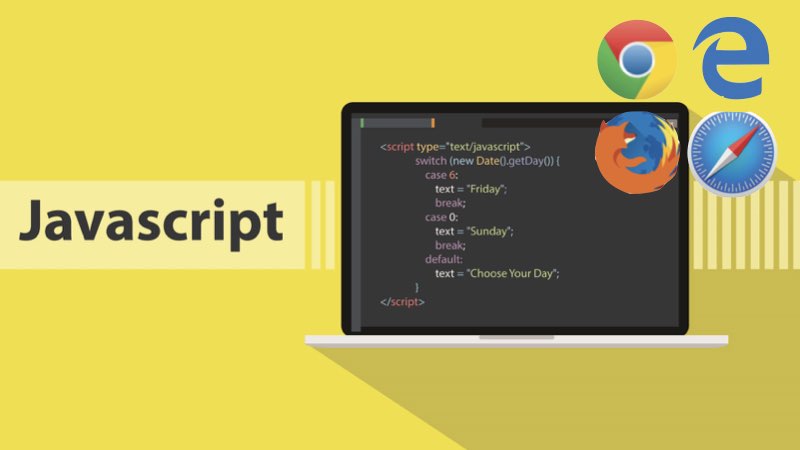
Initially only used in web browsers, JavaScript has become increasingly versatile, now used in server-side programming (Node.js), mobile app development, and even desktop application development. C influences its syntax but has a unique approach to object-oriented programming, using prototype-based rather than classical inheritance.
2. What is TypeScript?
TypeScript, a programming language that is open-source, has been developed and is continuously maintained by Microsoft. It is a superset of JavaScript, adding additional features and capabilities to the JavaScript language. TypeScript introduces static typing to JavaScript, allowing developers to specify types for variables, functions, and other elements in their code. This feature enhances code quality and readability, making it easier to maintain and debug.
TypeScript is compiled into plain JavaScript, ensuring compatibility with any browser, host, or operating system that supports JavaScript. This compilation process checks for errors before running the code, leading to more robust and reliable applications. TypeScript is favored in large-scale application development because it provides a more structured and scalable codebase.
Learn More On:
II. JavaScript vs TypeScript Differences
Let’s compare JavaScript vs TypeScript performance and their overall differences.
| Feature | JavaScript | TypeScript |
|---|---|---|
| Typing System | Dynamically typed: Types are checked at runtime. | Statically typed: Type verification occurs during the compilation process. |
| Learning Curve | Generally easier for beginners due to its simplicity and wide usage. | Steeper, especially for those unfamiliar with static typing or advanced OOP concepts. |
| Execution | Can be run directly in browsers and Node.js environments. | Requires compilation to JavaScript to be executed in browsers or Node.js. |
| Error Detection | Errors are often found at runtime. | Errors are more likely to be caught during compilation, reducing runtime errors. |
| Community and Ecosystem | Larger community with extensive resources and libraries. | Growing community, but smaller compared to JavaScript. Rich ecosystem due to its compatibility with JavaScript libraries. |
| Use Cases | Suitable for various types of projects, especially where quick prototyping is needed. | Better suited for large-scale applications where maintainability and code robustness are crucial. |
| Tooling Support | Good tooling with various IDEs and text editors. | Advanced tooling capabilities due to static typing, like better autocompletion and refactoring tools. |
| Syntax | Standard JavaScript syntax | Similar to JavaScript, with additional features |
| Backward Compatibility | Cannot run TypeScript in JavaScript files | Fully compatible with JavaScript; any JavaScript code is also valid TypeScript code. |
| Popularity in Development | Widely used in both frontend and backend (Node.js) development. | Increasingly popular in enterprise and large-scale applications and frontend development with frameworks like Angular. |
Comparison Between TypeScript vs JavaScript Pros and Cons
| Language | Pros | Cons |
|---|---|---|
| JavaScript | Widely Used: JavaScript is the most popular language for web development, used universally in web browsers. Flexibility: Highly flexible in writing code can be both an advantage and a disadvantage. Large Community: Has a massive community, extensive libraries, frameworks, and resources. Easy to Learn: Relatively easier for beginners to pick up and start developing. Versatile: Used for both client-side and server-side (Node.js) development. | Dynamic Typing: Prone to runtime errors due to lack of type enforcement. No Compile-Time Error Checking: Errors are typically found at runtime, which can be less efficient. Security Issues: Being client-side, it can be exposed to various security vulnerabilities. |
| TypeScript | Static Typing: Offers static typing, which can catch errors at compile time, leading to fewer runtime errors. Better Tooling: Enhanced code quality and developer experience with features like autocompletion and refactoring. Robustness: More suitable for large-scale applications due to its robustness and features like interfaces and generics. Superset of JavaScript: Includes all JavaScript features, so any valid JavaScript code is also valid TypeScript code. Improved Maintainability: Makes code more readable and maintainable, which is crucial for large codebases. | Learning Curve: Has a steeper learning curve, especially for developers unfamiliar with static typing. Requires Compilation: Needs to be compiled into JavaScript, which adds an extra step in the development process. Less Flexibility: More rigid coding structure than JavaScript, which can be a con for some use cases. |
III. When to Use TypeScript vs JavaScript
1. When to Use JavaScript
| When to Use JavaScript | Description |
|---|---|
| Web Development (Frontend and Backend) | Given its essential role in creating interactive web pages, JavaScript maintains a strong position in the JavaScript vs TypeScript popularity debate, being widely used in both frontend and backend development with Node.js |
| Rapid Prototyping | Ideal for quickly developing prototypes and MVPs (Minimum Viable Products) due to its dynamic nature and ease of use. |
| Small to Medium-Sized Projects | Well-suited for projects where the overhead of types and strict structure is not necessary. |
| Cross-Platform Mobile App Development | Frameworks like React Native enable JavaScript for developing cross-platform mobile applications. |
| Real-Time Applications | Great for applications like chat, live streaming, and online gaming, leveraging technologies like WebSockets and Node.js. |
| Serverless Computing | Commonly used in serverless architectures with Node.js, where functions are hosted on cloud platforms and executed on demand. |
2. When to Use TypeScript
| When to Use TypeScript | Description |
|---|---|
| Large-Scale Enterprise Applications | TypeScript’s static typing and advanced object-oriented features are ideal for complex applications where maintainability and scalability are key. |
| Projects with Large Development Teams | The type system and compile-time error checking in TypeScript enhance code quality and collaboration in multi-developer projects. |
| Angular Applications | As the primary language for Angular, TypeScript is the preferred choice for developers building dynamic web applications with this framework. |
| Applications Requiring Robust Type Safety | Ideal for projects needing strong typing, like financial systems, complex business logic, and large-scale data processing. |
| Refactoring and Migrating Legacy Codebases | TypeScript’s incremental type annotations aid in refactoring and scaling existing JavaScript codebases. |
| Development of Libraries and Frameworks | TypeScript’s clear type definitions and interfaces make it a popular choice for developing libraries and frameworks. |
TypeScript vs JavaScript Which is Better
You might be asking: “Is TypeScript better than JavaScript?”. The choice largely depends on the scale, complexity, and specific requirements of your project, as well as your team’s expertise and long-term maintenance plans.
TypeScript is better at
- Large-Scale Projects and Teams
One of the notable advantages of TypeScript vs JavaScript is that it is beneficial for large projects or when working with big teams. Its static typing system helps manage complexity and ensures more reliable code, which is crucial in a large-scale development environment. The capability to detect errors during the compilation process significantly reduces runtime errors, enhancing code safety and robustness. - Integration with Typed Libraries and Frameworks
If your project relies heavily on external libraries and frameworks, TypeScript can be a great asset. Many modern libraries and frameworks come with type definitions, making integrating them into your project easier. - Investment in Learning and Quality Code
TypeScript requires an initial learning curve, especially for those unfamiliar with static typing. However, if you have the time and resources to learn TypeScript, it pays off in the long run by enabling you to write more maintainable and error-free code. It’s a worthwhile investment for developers looking to enhance their skill set and code quality.
JavaScript is better at
- Small Projects
In scenarios where TypeScript vs JavaScript speed is a consideration, JavaScript often emerges as the more suitable choice for smaller projects and quick scripts, due to its dynamic nature and ease of setup. Its dynamic nature allows for rapid development and prototyping, making starting and iterating quickly easier. - Prioritizing Development Speed Over Long-Term Maintenance
JavaScript might be better if your project’s primary goal is to build something quickly without strongly emphasizing long-term maintenance or scaling. It offers the flexibility and speed needed to develop projects without the additional complexity of TypeScript’s type system. - Limited Time or Desire to Learn TypeScript
Sticking with JavaScript is a practical choice for developers who are unfamiliar with TypeScript and need more time to learn it. JavaScript’s widespread use and simpler learning curve make it more accessible for quick learning and development.
Conclusion
In conclusion, the choice between JavaScript vs TypeScript depends on your project’s specific needs. Each language has strengths, and the selection varies based on project size, complexity, and long-term goals.
If you’re still deciding which one to choose for your next project, TECHVIFY is here to help. Our team is equipped to assist you in making your selection that best fits your project’s requirements. Contact TECHVIFY for expert advice and tailored services that align with your development needs.
TECHVIFY – Global AI & Software Solution Company
From Startups to Industry Leaders: TECHVIFY prioritizes results, not just deliverables. Accelerate your time to market and see ROI early with high-performing teams, AI (including GenAI) Software Solutions, and ODC (Offshore Development Center) services.
- Email:[email protected]
- Phone:(+84)24.77762.666